CentOS/RHEL 7.x:
yum install epel-release
rpm -Uvh https://mirror.webtatic.com/yum/el7/webtatic-release.rpm
CentOS/RHEL 6.x:
yum install epel-release
rpm -Uvh https://mirror.webtatic.com/yum/el6/latest.rpm
查找PHP包
yum search php
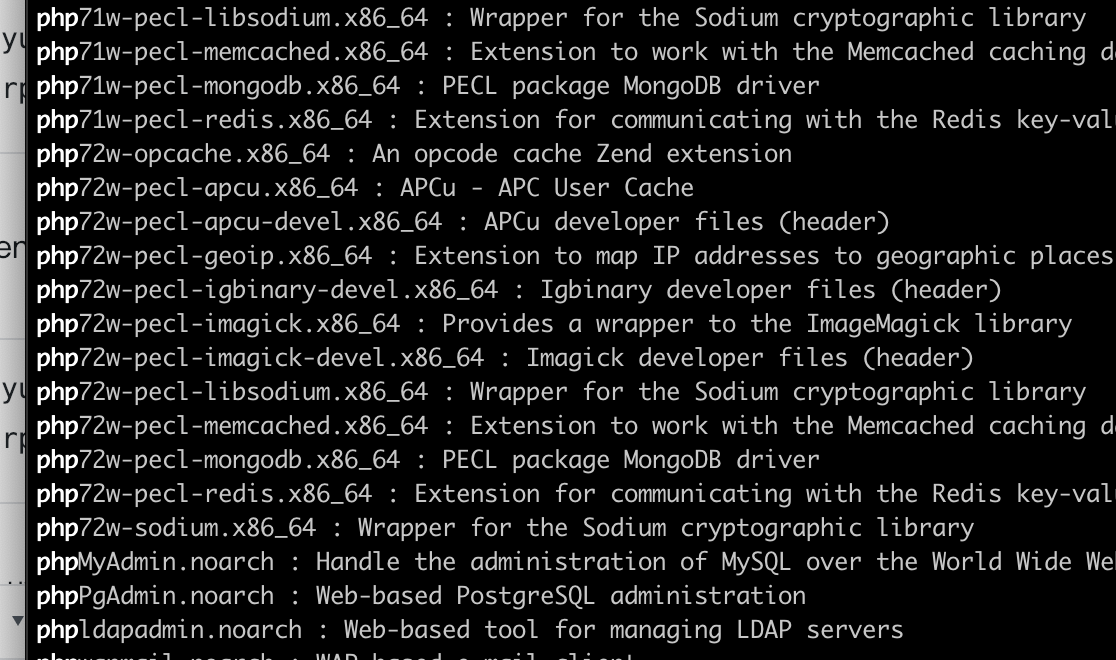
如果之前已经安装我们先卸载一下
yum -y remove php*
yum 安装php71w和各种拓展,选自己需要的即可
yum -y install php71w php71w-cli php71w-common php71w-devel php71w-embedded php71w-fpm php71w-gd php71w-mbstring php71w-mysqlnd php71w-opcache php71w-pdo php71w-xml
安装包
Package |Provides
-|-
mod_php71w|php71w, mod_php, php71w-zts
php71w-bcmath|-
php71w-cli|php-cgi, php-pcntl, php-readline
php71w-common|php-api, php-bz2, php-calendar, php-ctype,php-curl, php-date, php-exif, php-fileinfo, php-filter,php-ftp,php-gettext, php-gmp, php-hash, php-iconv,php-json, php-libxml, php-openssl, php-pcre,php-pecl-Fileinfo, php-pecl-phar, php-pecl-zip,php-reflection,php-session, php-shmop,php-simplexml,php-sockets, php-spl, php-tokenizer, php-zend-abi,php-zip, php-zlib
php71w-dba|-
php71w-devel|-
php71w-embedded|php-embedded-devel
php71w-enchant|-
php71w-fpm|-
php71w-gd|
php71w-imap|
php71w-interbase|php_database, php-firebird
php71w-intl|-
php71w-ldap|-
php71w-mbstring|-
php71w-mcrypt|-
php71w-mysql|php-mysqli, php_database
php71w-mysqlnd|php-mysqli, php_database
php71w-odbc|php-pdo_odbc, php_database
php71w-opcache|php71w-pecl-zendopcache
php71w-pdo|php71w-pdo_sqlite, php71w-sqlite3
php71w-pdo_dblib|php71w-mssql
php71w-pear|-
php71w-pecl-apcu|-
php71w-pecl-imagick|-
php71w-pecl-memcached|-
php71w-pecl-mongodb|-
php71w-pecl-redis|-
php71w-pecl-xdebug|-
php71w-pgsql|php-pdo_pgsql, php_database
php71w-phpdbg|-
php71w-process|php-posix, php-sysvmsg, php-sysvsem, php-sysvshm
php71w-pspell|-
php71w-recode|-
php71w-snmp|-
php71w-soap|-
php71w-tidy|-
php71w-xml|-
php71w-xmlrpc|-
代码缓存
PHP发行版现在附带一个代码缓存。这是Zend Optimizer +代码缓存,现在称为Zend OPcache扩展。此扩展名是可选的,因此不会妨碍您使用备用扩展名。
由于它包含在PHP源代码发行版中,它将得到很好的维护,更适合在未来几个月内更新其他Opcode缓存时使用。
yum install php71w-opcache
参考
链接:https://webtatic.com/packages/php71/
用Fedora的源来安装
CentOS version 7.4
wget https://dl.fedoraproject.org/pub/epel/epel-release-latest-7.noarch.rpm
wget http://rpms.remirepo.net/enterprise/remi-release-7.rpm
rpm -Uvh remi-release-7.rpm epel-release-latest-7.noarch.rpm
CentOS version 6.9
wget https://dl.fedoraproject.org/pub/epel/epel-release-latest-6.noarch.rpm
wget http://rpms.remirepo.net/enterprise/remi-release-6.rpm
rpm -Uvh remi-release-6.rpm epel-release-latest-6.noarch.rpm
remi-php72 repository activation
RHEL or CentOS
yum install yum-utils
yum-config-manager --enable remi-php72
Fedora
dnf install dnf-plugins-core
dnf config-manager --set-enabled remi-php72
在centos7上具体操作
sudo yum -y install http://rpms.remirepo.net/enterprise/remi-release-7.rpm
sudo yum -y install epel-release yum-utils
sudo yum-config-manager --disable remi-php54
sudo yum-config-manager --enable remi-php73

sudo yum -y install php-cli php-fpm php-mysqlnd php-zip php-devel php-gd php-mcrypt php-mbstring php-curl php-xml php-pear php-bcmath php-json php-swoole php-redis php-imagick
参考
链接:https://blog.remirepo.net/post/2017/12/04/Install-PHP-7.2-on-CentOS-RHEL-or-Fedora